1. Add the LINE friend

2. Send your linking code
Copy your linking code and send it on the Taiwan stocks - Winvest LINE channel
Wait for LINE to confirm that linking is complete

Orders and billing
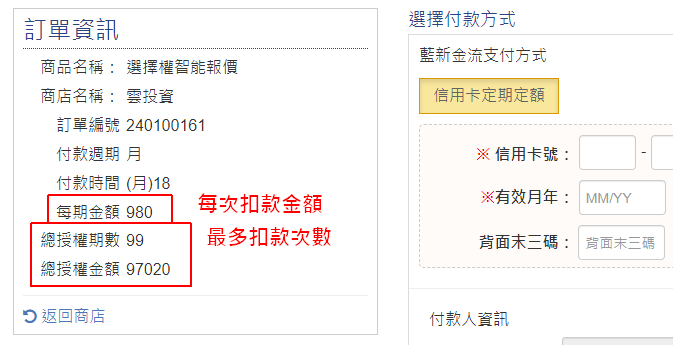
A "total authorised periods" value of 99 (or 8) is the maximum number of times you can be charged. The actual amount charged each period is NT$980 as shown below, not NT$97,020.
In NewebPay's recurring credit card billing, a monthly billing cycle is set to 99 periods and an annual cycle to 8 periods. This only caps how many times you can be charged; each charge is still just the per-period amount, and billing stops if it would run past your card's expiry date.
All recurring subscriptions can be cancelled at any time; once cancelled, you will not be charged again.
Digital knowledge services fall within the scope of digital content under Taiwan's distance-selling regulations. Under Article 2 of the Regulations Governing Reasonable Exceptions to the Right of Rescission for Distance Sales, digital services are not subject to the seven-day cooling-off period, and are therefore outside the unconditional seven-day refund provision of Article 19 of the Consumer Protection Act. To protect intellectual property rights, a purchase indicates that you accept these rules, and refunds cannot be claimed as cash equivalents or on cooling-off grounds. Before purchasing, please use the public information, free trials or a consultation to confirm the service meets your expectations.
If, in exceptional circumstances, we consider a refund appropriate, a processing fee of 10% of the purchase amount (minimum NT$50) will be deducted and the balance transferred to your nominated account by the 10th of the following month.
Subscriptions have no lock-in — you can stop the next billing period at any time. To cancel, go to the service page and select "Cancel subscription" at least 2 days before your next billing date.
There are 2 places to cancel
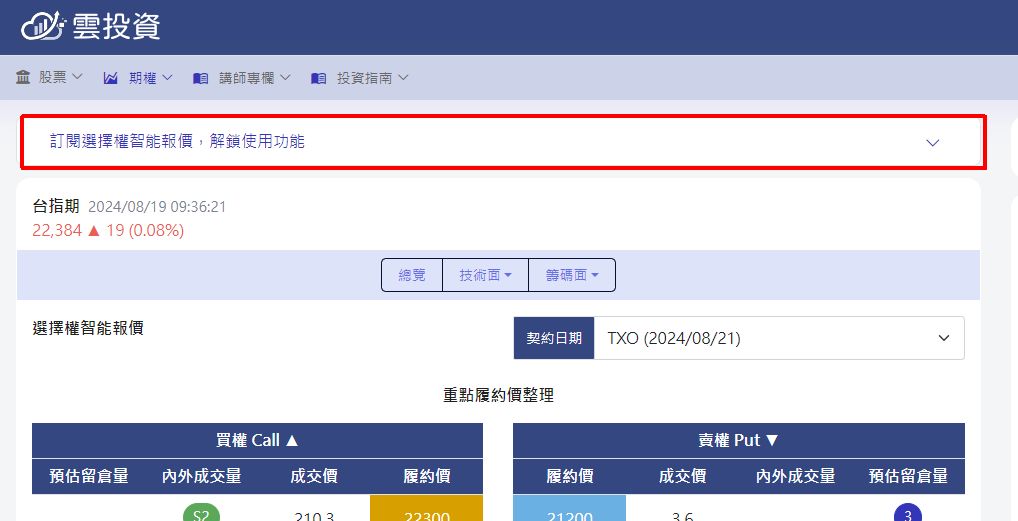
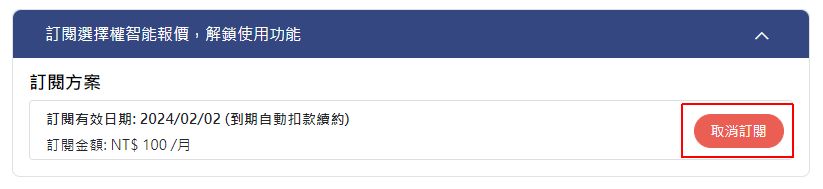
1. Expand the subscription bar at the top of any feature page to reveal the "Cancel subscription" button
2. In your member area, open Store → Purchase history, find the order and click "View" to reveal the "Cancel subscription" button
Sign in to build and track your own watchlist. Once you add symbols, you get a full closing report every day: health check, technical changes and a comparison against the TAIEX.